Run an energy audit
The Energy Audit page is where you apply energy conservation measures (ECMs) to the calibrated model, see the savings and costs, and produce the audit report.
For: Analyzer (others: view-only)Where: Analysis › Energy Audit
- The baseline is calibrated and pinned on Home. The list at the top of the page shows only pinned baselines.
- The baseline is subscribed. Without a subscription, the page shows “Not subscribed: audit reports and energy analysis are limited for this baseline” and a Subscribe button.
- Only the baseline’s analyzer can change measures and post the report. Everyone else sees the page in view-only mode.
Choose the baseline at the top of the page. Check the box next to it to open this baseline by default.
Summary cards
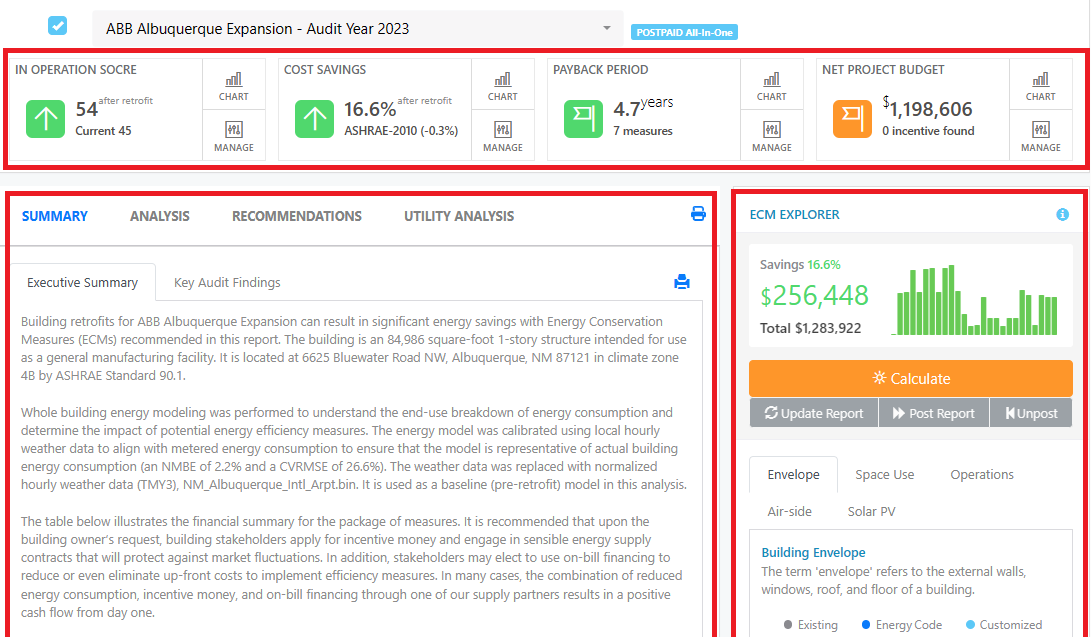
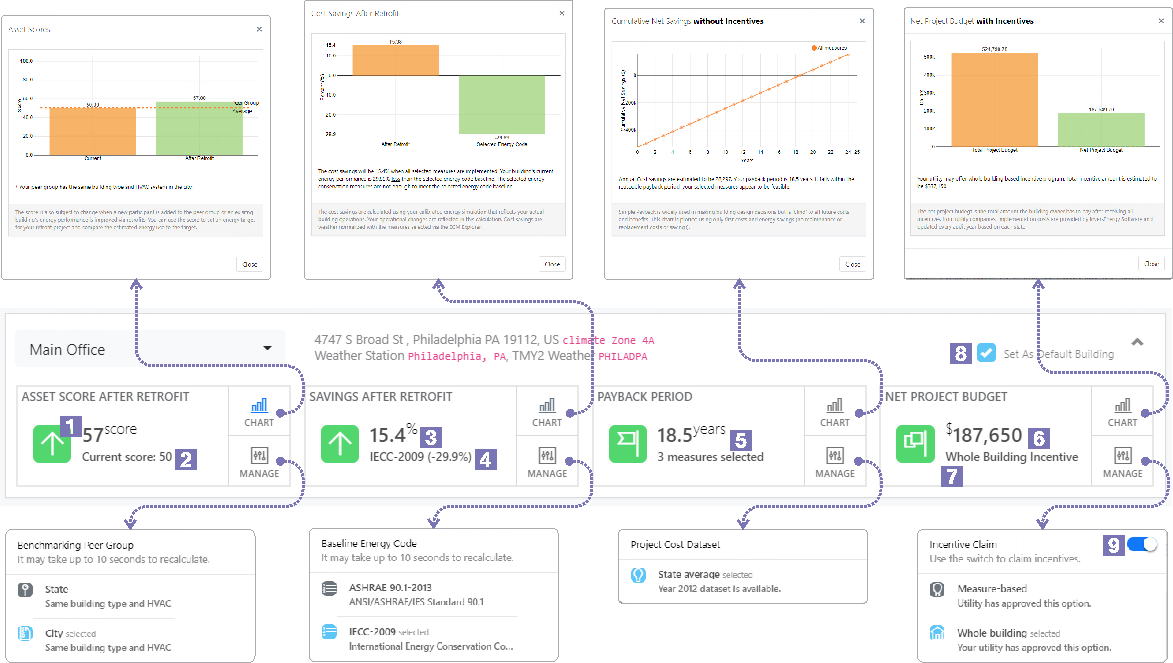
The four cards at the top of the page summarize the selected measures. Each card has a Chart button for details and a Manage button for its settings.
- Score - Your building’s score before and after the retrofit. Under Manage, choose which score to show: ENERGY STAR score, ENERGY STAR site EUI, operational score or asset score.
- Cost savings - The post-retrofit cost savings, and how the building compares with the baseline energy code. Under Manage, choose the baseline energy code. Recalculating takes up to 10 seconds.
- Payback period - The simple payback of the selected measures without incentives, and the number of measures selected. Under Manage, see whether a project cost dataset is available for the audit year. Costs come from your own retrofit costs table or the standard dataset; see Costs, payback and incentives.
- Net project budget - The retrofit cost after utility incentives, and the number of incentives found. Under Manage, choose the incentive method: Measure-based or Whole building.
The Score and Cost savings cards change when you click Calculate. The payback period uses the costs from your last Update, and the number of measures and the Net project budget change only when you click Update.
ECM Explorer
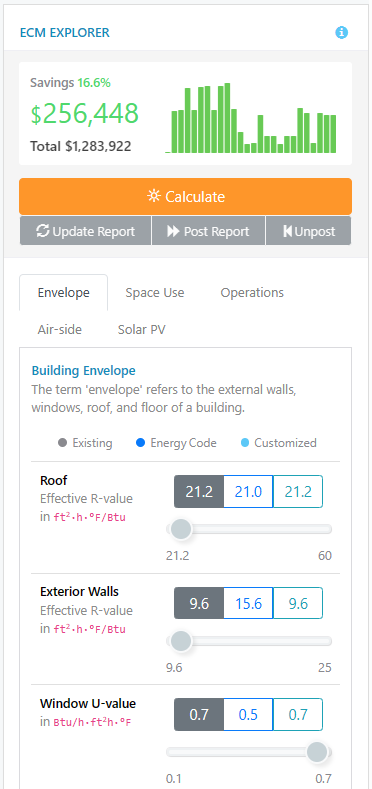
The ECM Explorer on the right lists the measures you can apply, grouped in tabs: Envelope, Space Use, Operations, Air-side, Water-side 1, Water-side 2, Water Heater, Solar PV and Electrification. Tabs that don’t apply to your building are not shown.
Each value is marked with a colored dot:
- Existing - Your building as calibrated.
- Energy Code - What the selected energy code requires.
- Customized - A value you set in the ECM Explorer.
Stars next to a measure show its priority from the AI analysis (more stars mean a higher priority). To generate them, use the AI button in Existing Building Parameters on the Benchmark page. See the ECM parameter reference for what each parameter means.
The top of the ECM Explorer shows the savings of your last calculation and the total energy cost after the retrofit. For a guided tour, click the ? button in the ECM Explorer’s title bar.