Quick start with the Demo Building
Every new account includes a Demo Building: an office building with a year of hourly electricity data, already calibrated. Use it to see the whole workflow before you enter your own building.
For: New usersTakes: About 20 minutesWhere: Home, then Analysis
You’re signed in. You don’t need any data of your own yet.
Steps
- Pin it. On Home, look under Pinned Baselines. If the Demo Building isn’t there, open the Baselines tab and turn on its Pin switch. Benchmark and Energy Audit only list pinned baselines.
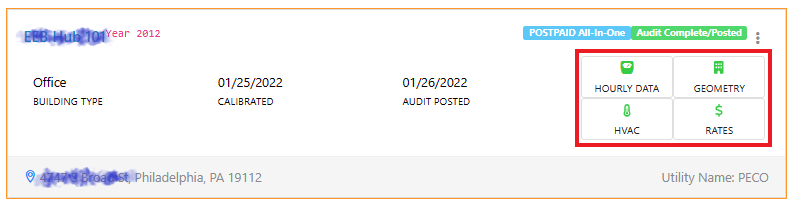
- Look at the inputs. Click the Demo Building’s four cards: Meter Data, Geometry, Systems and Rates. Each opens the window you’ll fill in for your own building. Close each one with Close or Cancel to keep the demo as it is.
- Check the calibration. Click the Demo Building’s card, then open the Stats tab in the Baseline Controller. CV(RMSE) and NMBE show how closely the model matches the meter data, and both are within the ASHRAE Guideline 14 limits.
- Open the benchmark. In the left menu, choose Analysis › Benchmark, then pick the Demo Building at the top. Read its scores, then the End-Use Benchmarking panel to see how much energy it uses above a code-compliant version of itself.
- Try some measures. Choose Analysis › Energy Audit. In the ECM Explorer, each parameter shows the building’s existing value next to the energy code value. Change a few values, for example the roof R-value or the lighting power density, and click Calculate to see the savings.
- Update the report. Click Update to refresh the report with the new results, then read the Summary, Analysis and Recommendations tabs. Updating runs a simulation for each measure and can take several minutes.
The Demo Building is already calibrated. Don’t click Calibration complete in the Baseline Controller: rerunning the calibration deletes its benchmark and energy audit results.
What you’ll see next
The summary cards at the top of the Energy Audit page show the new site EUI, cost savings, payback and net project budget. You can change the measures and calculate again as often as you like. There’s no need to Post the Demo Building, since posting shares a report with your clients.
When you’re ready, create a baseline for your own building. Check What you need first.